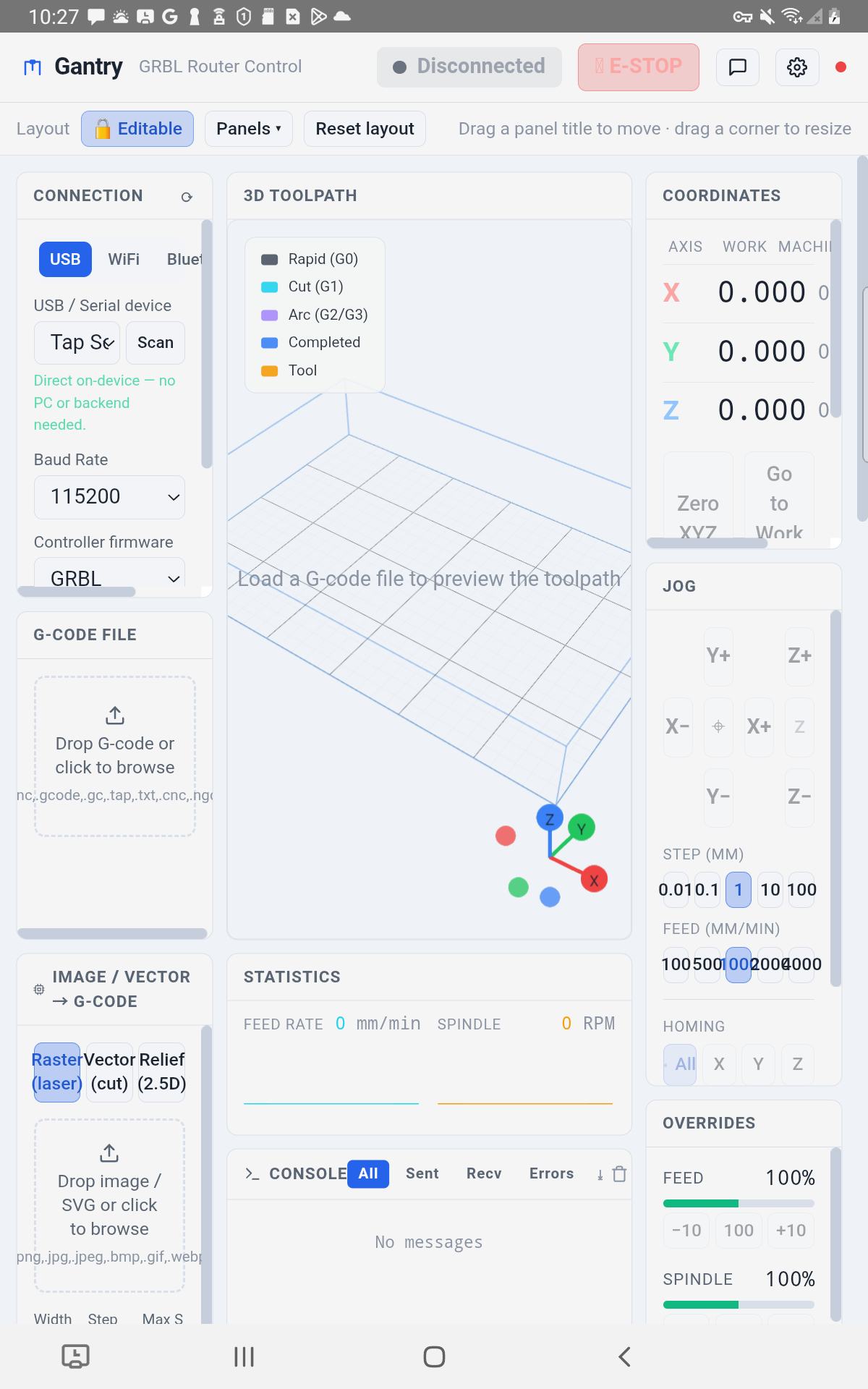
Every serious GRBL sender is chained to a laptop. Gantry turns your phone or tablet into a wireless pendant — live DRO, thumb jog, G-code streaming and live 3D — wired straight to the controller, with no PC at the machine.
No account no ads no tracking full simulator — try every feature with no machine.
gSender, UGS, OpenBuilds Control, CNCjs, bCNC — all brilliant, all tethered to a laptop or Raspberry Pi wired to the controller. Even their "phone" modes are just a browser window onto that computer. Gantry is the sender: plug your phone straight into the board over USB, or pair over Bluetooth. Nothing on the bench.
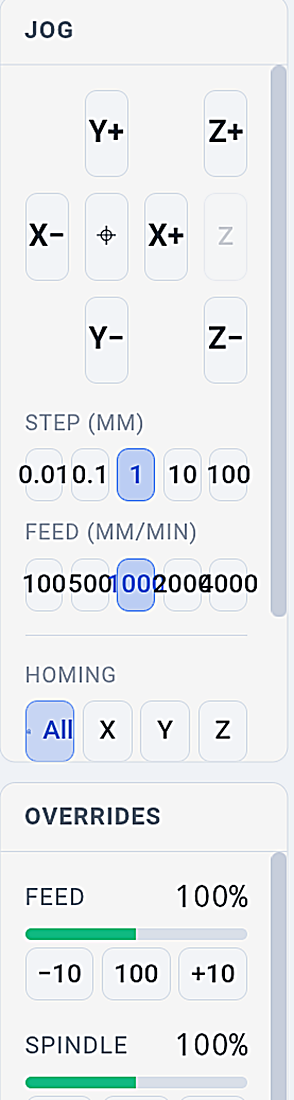
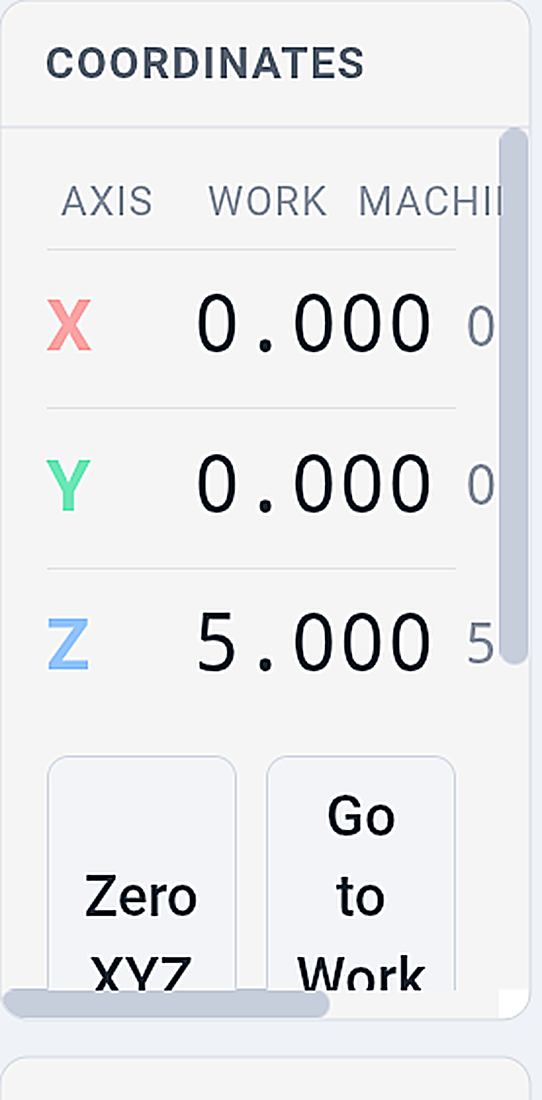
Machine and work coordinates, feed, spindle and state in real time. A thumb XY pad plus Z, with selectable step and feed. Home and zero without walking back to a screen.
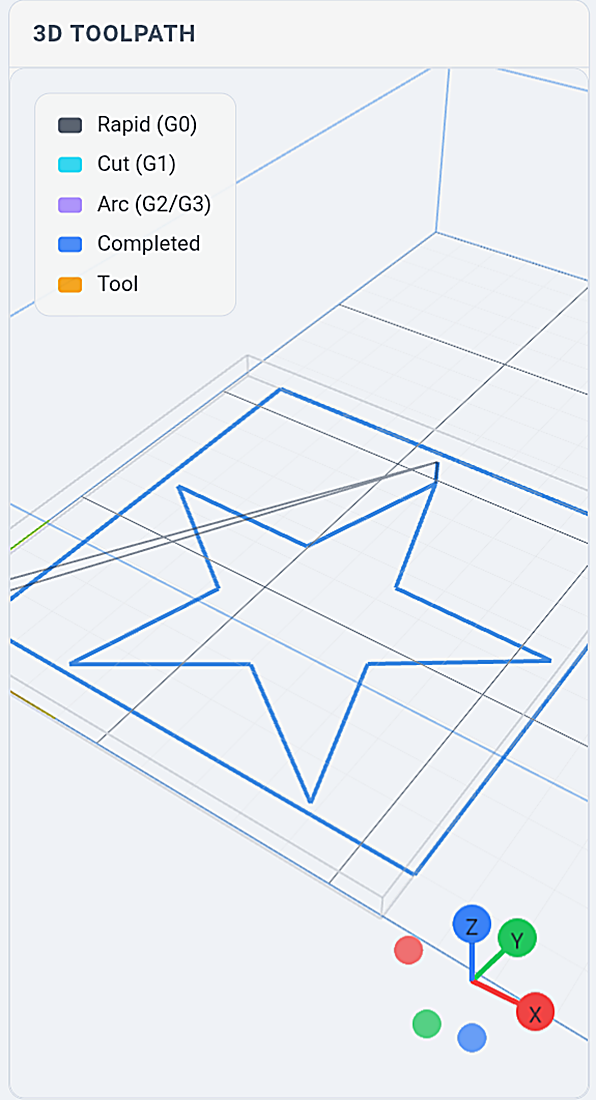
Load a G-code file and see the toolpath draw live — rapids and cuts colour-coded, the tool head moving with the machine. Pan, zoom and rotate while the job streams.
Plug the controller straight into your phone over USB-OTG, or pair over Bluetooth (classic or BLE). No backend, no server, nothing living in the sawdust — just the phone and the machine.
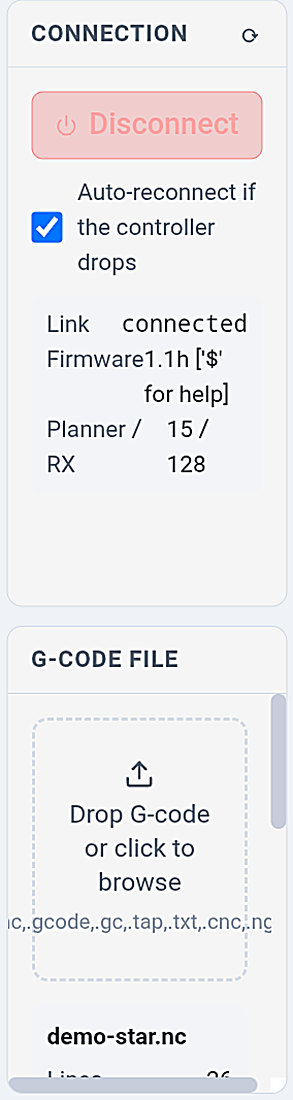
Dropped link or a flicker on the mains? Run-from-line recovery resumes from any line with a safe re-entry — retract, rapid to position, ease back into the cut. Plus auto-reconnect, keep-awake and pre-flight checks.
Z touch-plate, edge, corner and hole-centre probing, an M6 tool-change workflow, and auto-levelling height maps for uneven stock. A material-aware feeds & speeds calculator and a surfacing wizard round it out.
No account, no ads, no tracking, no cloud. The app only ever talks to the controller or the server you point it at. Nothing phones home — check the permissions yourself before you install.
Direct is the wedge — but the same app does Wi-Fi and a full offline simulator too.
A USB-OTG cable or Bluetooth (classic SPP or BLE) from phone to controller. No PC, no network — just the phone and the machine. This is the setup no desktop sender can match.
Prefer to keep a shop PC in the loop? Run the free Gantry server on the machine's computer and control or monitor from anywhere on the network — same app, same interface.
A built-in GRBL simulator runs every feature — jog, stream a real job, watch the live 3D, test recovery — with nothing plugged in. The honest way to evaluate it before you go near your machine.
Free · no machine, no purchase, no riskSame G-code, same limit-switch and soft-limit behaviour, same real-time overrides you already trust — over GRBL 1.1, grblHAL and FluidNC. Gantry speaks the protocol, it doesn't reinvent it.
The full simulator runs every feature with no hardware. Test jogging, streaming, recovery and the 3D view before you connect anything — then decide.
No analytics SDK, no account, no ads. The privacy policy is plain English, and you can inspect the app's permissions on Google Play before installing.
No fake review counts or "trusted by thousands" here — Gantry is new on Google Play, and we'd rather earn it. It's free, the simulator proves everything, and real reviews will speak for themselves.
Nothing is crippled to sell you the rest. Packs add depth — they don't unlock the basics.
USB & simulator connect · live DRO · thumb jog · homing & zeroing · load and run a job · live 3D viewer · console & event log · real-time overrides · and the plain-English alarm decoder — always free, because safety shouldn't be paywalled.
Networking & Bluetooth links, plus grblHAL / FluidNC multi-controller support.
✓ Try free in the simulatorProbing cycles, M6 tool changes, auto-level height maps and custom macros.
✓ Try free in the simulatorImage & vector → G-code (outline, V-bit, 2.5D relief) and webcam edge-finding with AR overlay.
✓ Try free in the simulatorFeeds & speeds, batch mode, gamepad jog, unlimited profiles, extra themes and $$ settings manager.
✓ Try free in the simulatorEvery pack is a one-time purchase through Google Play. No subscription, ever — and the standard Play Store refund window applies.
Prices shown in USD; Google Play converts to your local currency at checkout. Try any pack's behaviour free in the simulator before you spend a cent.
No. With direct-connect you plug the controller into your phone over USB-OTG or pair over Bluetooth, and the phone is both the pendant and the G-code sender — nothing else on the bench. If you prefer, you can also run the free Gantry server on a shop PC and connect over Wi-Fi.
Any controller on the standard GRBL path: GRBL 1.1, grblHAL and FluidNC. That covers Shapeoko, X-Carve, OpenBuilds LEAD/1010, MPCNC, LowRider and most home-built GRBL routers and lasers.
Yes — core control, monitoring, the live 3D viewer, the built-in simulator and the alarm decoder cost nothing and need no account. Advanced features come as optional one-time in-app purchases. There is no subscription.
Yes. Every pack's behaviour runs in the built-in simulator with no machine and no purchase, so you can see exactly what it does before deciding. Purchases are one-time and yours forever.
None for the developer. No account, no ads, no analytics, no tracking. The app only communicates with the controller or the server you connect it to. The privacy policy is public and you can inspect permissions on Google Play.
A CNC machine is powerful and can cause injury regardless of what controls it. Gantry follows safe-machining practice — pre-flight checks, an always-visible state and emergency-stop — but you should always keep clear of the machine, know where your e-stop is, and never leave a running job unattended.
Install Gantry and jog your machine from your phone in the next five minutes — with the simulator, you don't even need it plugged in.
▶GET IT FREE ONGoogle PlaySafety: a CNC machine can cause serious injury. Always follow safe machining practice, keep clear of the machine, know where your emergency stop is, and never leave a running job unattended.